Brand Redesign Vector Infographic: Strategic Visuals for Rebranding Success
A brand redesign is rarely just about a new logo; it is a complex operational shift that requires clear communication to stakeholders, employees, and customers. This is where a Brand Redesign Vector Infographic becomes an essential asset rather than mere decoration. These visual tools translate abstract strategic concepts into digestible narratives, helping your audience understand the "why" and "how" behind the change. When executed correctly, they bridge the gap between creative vision and business logic, ensuring that your rebranding effort is perceived as a calculated evolution rather than a cosmetic tweak.
However, many professionals and entrepreneurs stumble when selecting or creating these assets. The most common error is treating the infographic as a static image rather than a flexible design system. By understanding the technical and strategic nuances of vector templates, you can avoid costly revisions and ensure your presentation materials remain professional across all mediums.
The Technical Foundation: Why File Format Dictates Usability
Before downloading or purchasing a template, you must verify the file architecture. A frequent mistake is settling for raster-only formats when planning a comprehensive rebrand campaign. While JPG and PNG files are useful for immediate web sharing or social media teasers, they are insufficient for production-grade redesign presentations. Raster images pixelate when scaled up for large screens, printed handouts, or detailed zooming during virtual meetings.
To maintain professional integrity, prioritize source files like AI (Adobe Illustrator), EPS, or SVG. These vector-based formats allow you to resize elements infinitely without quality loss. More importantly, they provide access to individual layers and paths. If you download a flattened JPG, you cannot change the color palette to match your new brand guidelines or edit the text to reflect your specific timeline. Always confirm that the vector package includes fully editable source files. This foresight prevents the frustration of having to recreate a perfect layout from scratch simply because the original file was locked or low-resolution.
Structuring the Narrative: Avoiding Information Overload
A beautiful template fails if it confuses the viewer. In brand redesign communications, clarity trumps complexity. Many users make the error of cramming every aspect of their rebrand into a single graphic. Instead, utilize specific structural frameworks designed for cognitive ease.
Data Visualization with Three Steps
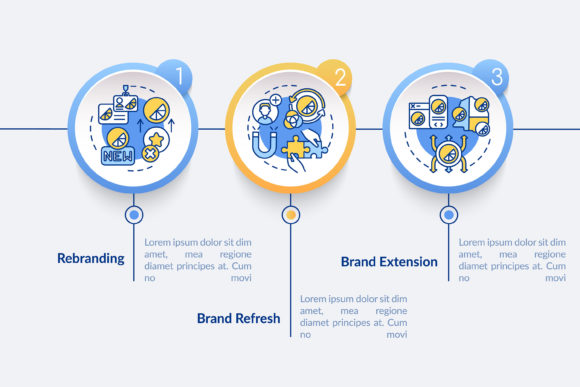
When explaining the core methodology of your redesign, adhere to the rule of three. Human processing works best with triadic structures. Look for templates that offer data visualization with 3 steps. This format is ideal for showing the transition from "Current State" to "Transition Phase" to "Future Vision." Overcomplicating this with five or seven steps often dilutes the message. If your process genuinely has more stages, group them into three macro-phases to maintain narrative momentum.
Process Timeline Info Charts
Rebranding is temporal. Stakeholders need to know when changes will occur. A common oversight is using generic flowcharts instead of dedicated process timeline info charts. Timelines set expectations and reduce anxiety during transitions. Ensure your chosen template distinguishes clearly between milestones and durations. A vague timeline creates uncertainty, whereas a precise visual schedule builds confidence in project management.
Workflow Layouts with Line Icons
For internal teams, the redesign involves new operational workflows. Heavy, filled icons can make these diagrams feel dense and intimidating. Opt for workflow layouts with line icons. Line art is visually lighter and allows for higher information density without causing fatigue. It also tends to look more modern and adaptable to different background colors, which is crucial when integrating the infographic into existing slide decks or intranet pages.
Evaluating Production Extension Presentation Outline Design Elements
Not all vector templates are created equal regarding extensibility. Before committing to a specific Brand Redesign Vector Infographic Template, audit its modularity. Ask yourself: Can I add another slide without breaking the visual rhythm? Do the master slides include consistent grid systems and typography styles?
Poorly constructed templates often have hard-coded elements or inconsistent spacing. When you try to extend the presentation to cover additional departments or regional rollouts, the design falls apart. High-quality templates provide production extension presentation outline design elements that act as building blocks. These include reusable headers, footer variations, and modular content containers. Testing this extensibility before purchase saves hours of manual alignment later. Treat the template as a design kit, not a finished product.
Strategic Customization: Beyond Color Swapping
Downloading a template is only the first step. The biggest misconception is that changing the accent color constitutes customization. True adaptation involves aligning the visual tone with your brand’s personality. If your rebrand emphasizes transparency and simplicity, but the template uses dark, opaque backgrounds and complex gradients, there is a dissonance that undermines trust.
- Audit Typography: Replace default fonts with your official brand typeface immediately. Mismatched typography is the fastest way to signal that a presentation is "off-brand."
- Adjust Icon Weight: Ensure the line icons in workflow layouts match the stroke weight of your logo and other brand assets. Visual consistency in line thickness creates subconscious harmony.
- Contextualize Data: Never use placeholder data in final presentations. Even if the numbers are illustrative, label them clearly. Using generic "Lorem Ipsum" or fake statistics in a strategy deck erodes credibility.
Making the Right Choice for Your Audience
Your selection criteria should shift based on who will view the infographic. For executive boards, focus on high-level process timeline info charts and ROI-focused data visualization. They need to see the trajectory and the business case. For creative teams and implementers, detailed workflow layouts with line icons are more valuable as they provide actionable guidance.
Beginners and small business owners often gravitate toward the most visually complex templates, assuming detail equals professionalism. In reality, cleaner, more spacious designs usually communicate greater confidence. Evaluate templates based on negative space and readability rather than the sheer number of graphical elements. A cluttered infographic suggests a cluttered strategy.
Ensuring Long-Term Value and Compatibility
Finally, consider the software ecosystem. While SVG is excellent for web and modern presentation tools, legacy corporate environments may still rely heavily on EPS or AI files. Verify compatibility with your current software stack before purchasing. Additionally, check licensing terms carefully. Some vector assets restrict commercial use or require attribution, which can be problematic for external-facing rebrand announcements.
By approaching your Brand Redesign Vector Infographic with technical diligence and strategic intent, you transform it from a simple graphic into a powerful communication tool. Prioritize editable vector formats, respect cognitive load through structured layouts, and ensure every design element serves the broader narrative of your brand’s evolution. This disciplined approach ensures your rebrand is understood, accepted, and championed across your organization.